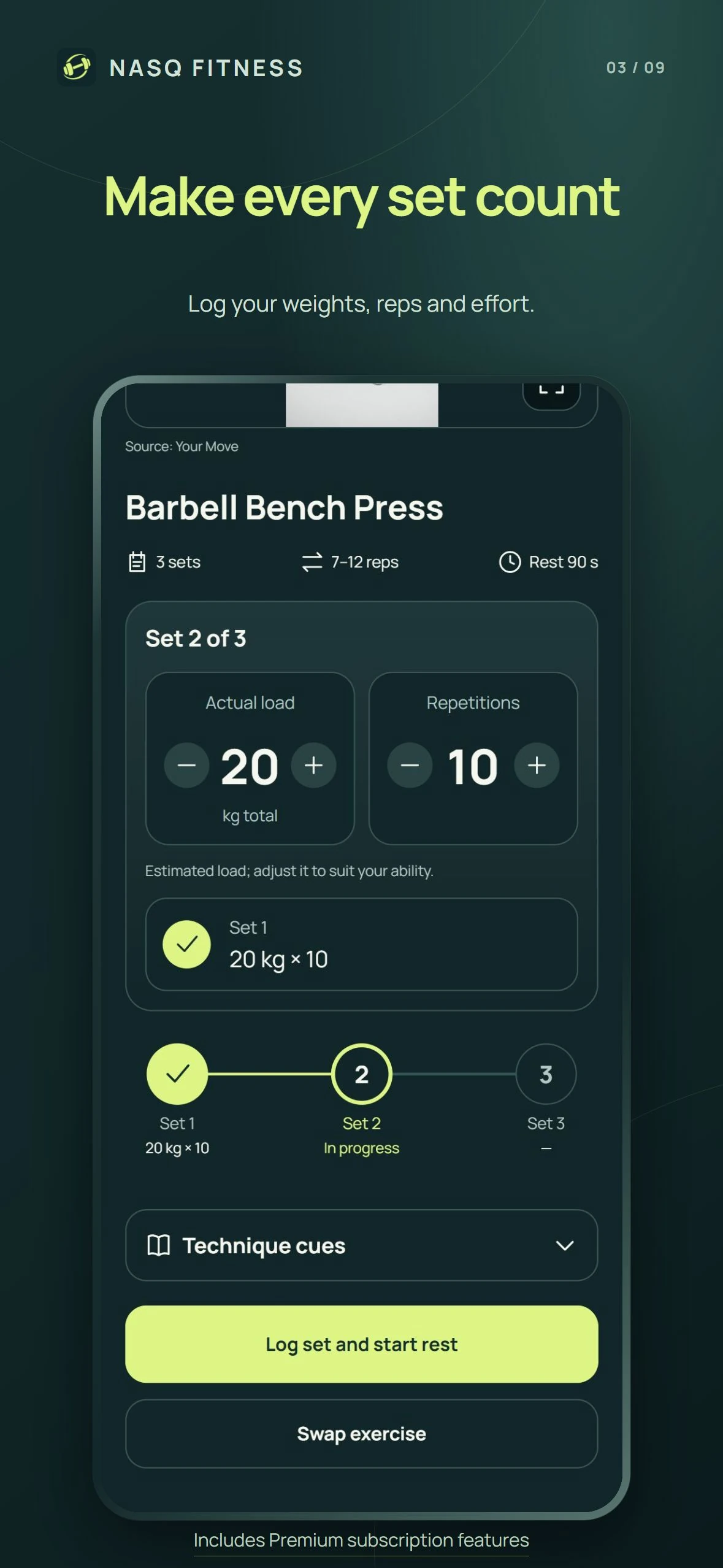
A target is different from your recorded result
Before recording a set, review the exercise and its target. The proposed weight and repetition count describe a plan. Edit the values when your actual result is different. For example, a set recorded as 6 kg × 10 should reflect the load and repetitions you performed, not a number copied from an earlier session. Check whether a weight is shown per hand or for the whole exercise.
Check the exercise before logging it
Open the technique video or written instructions if you need to confirm the movement. The video can be expanded when you want a closer view, while the normal frame keeps the session controls in view. Exercise demonstrations explain a movement; they do not determine the right weight for every person.
Keep each set separate
Use the set indicators to see which rounds are complete and which round is current. Check the weight and repetition values before recording the next set. Recording each round separately gives you a clearer history than writing one number for the entire exercise.
Use previous performance as context
When reviewing your next session, compare the same exercise and the same weight convention. A change in equipment, exercise variation or number of completed repetitions can change what the numbers mean. A training record is useful context, rather than a requirement to increase the load at every session.
Connect the log with your equipment and schedule
Start by choosing your equipment and training days in your NASQ profile. If the equipment available to you changes, update that selection. Review alternatives from inside the session when needed, and record the exercise you actually use. See the equipment-planning guide for a walkthrough of that setup.
Review body progress separately
Workout records describe training performance. Body-weight and measurement history describe a different part of your progress. NASQ brings both into one app, alongside meal planning, so you can review your routine without treating one number as the whole result.
NASQ is free to download. Guided workout sessions and selected personalization require Premium. Local prices and terms are shown by the App Store before purchase. This walkthrough explains the app for adults 18+; it is not an individual exercise prescription.